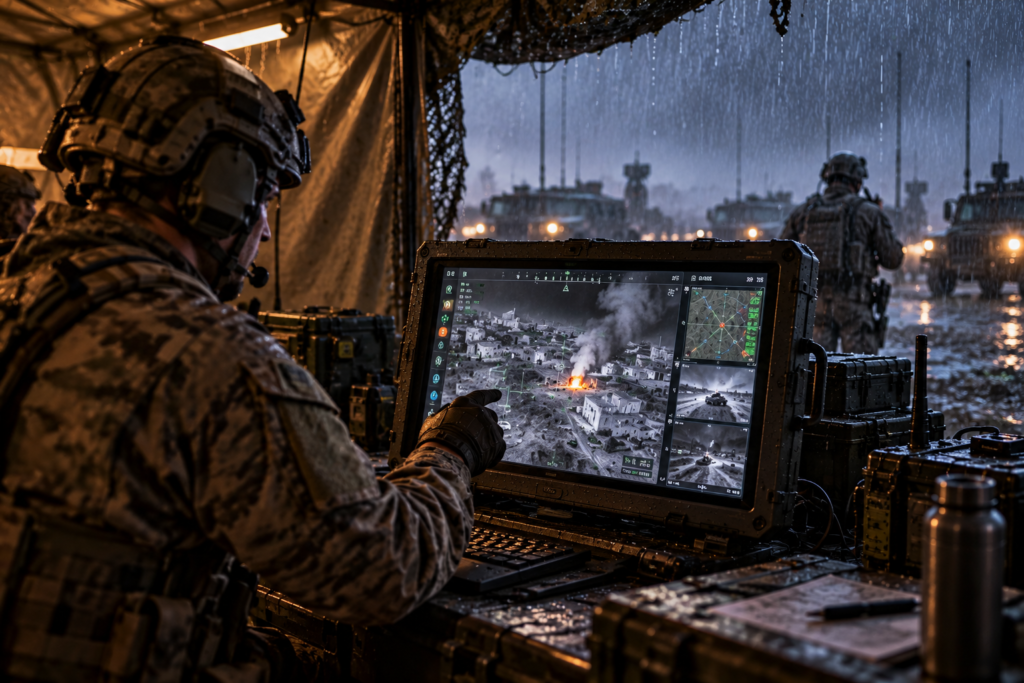
At 21 inches, a display sits at a practical ceiling for single-operator stations: large enough to carry a full moving map plus sensor video plus a data sidebar without crowding, and small enough to fit a vehicle console or a shipboard 19-inch rack adapter. But the specifications of 21-inch LCD panels diverge sharply between a commercial monitor and a qualified rugged display, and most decisions about whether a panel survives and performs are made below the headline numbers. This guide is written for engineers and integrators specifying at that level.
A note on size: 21-inch and 21.5-inch are used interchangeably in marketing but are not interchangeable in an installation. The 21.5-inch format is the volume Full-HD panel size; a true 21.0-inch is rarer and usually a legacy or custom geometry. Confirm the active area and bezel-to-bezel dimensions against the panel cutout before anything else; a 2 to 3 mm difference in a sealed, gasketed front panel is enough to fail an enclosure fit.
Specify at the Assembly Level, Not the Panel Level
The most common specification error is pulling numbers from a bare-panel datasheet and assuming they describe the delivered display. They do not. A panel datasheet states the behavior of the glass and its driver under benign conditions; it says nothing about how the integrated assembly performs once a cover glass, touch sensor, optical bond, backlight, and enclosure are added, each of which changes luminance, reflectance, thermal behavior, and vibration response.
Three procurement levels, and what each actually fixes: the LCD panel defines native resolution, pixel pitch, native interface, and viewing-angle performance. The display head assembly (DHA) might modify the backlight,add functional films, cover glass, optical stack, NVIS filtering, touchscreen, and mechanical structure, this is the level at which display optical performance and survivability are actually determined. The complete rugged display adds video processing, power conditioning to MIL-STD-1275, EMI filtering to MIL-STD-461, connectors, and operator controls. Write requirements, and verification, at the level you are installing, luminance and reflectance in particular must be specified at the DHA level, not from the native AMLCD specification.
Resolution, Pixel Pitch, and the Scaling Penalty
At 21.5 inches, the native format is almost universally 1920 x 1080 (16:9), giving roughly 102 PPI and a ~0.248 mm pixel pitch, comfortable for symbology and text at a 60 to 70 cm console viewing distance. Where programs need higher density, 4K (3840 x 2160) panels in the 23.8-inch class push past 185 PPI, at a real cost including power consumption. The 23.8-inch 4K panel draws ~46 W at the backlight versus ~32 W for a 21.5-inch 1080p unit, and 4K sources quadruple the video bandwidth and processing load.
The specification that complicates requirements isn’t resolution itself, but scaling. Any time the source resolution doesn’t match the panel’s native resolution, something must scale the image, and scaling can reduce sharpness or add latency unless a video engine such as Cevian’s PixelMaster is part of the display. A legacy RS-170 or 1024 x 768 sensor feed rendered on a 1080p panel is being upscaled; the quality of that scaler, and its frame latency, matters more to the operator than the panel’s pixel count. Specify the native resolution to match your dominant source where possible, and where mixed sources are unavoidable, specify the scaler’s latency budget explicitly rather than leaving it to the display vendor’s defaults. Require the display to integrate a video management card designed for rugged environments, with low latency, custom scaling capabilities, and multiple video input types, each with customizable resolution.
Luminance, Dimming Range, and Real Sunlight Readability
Rugged panels in this class typically deliver 1000 nits or more at the glass; Cevian’s 21.5-inch runs at 1000 nits, and the portrait 10.1-inch reaches over 1,500 nits, all with NVIS-mode low-end dimming down to the 0.1 to 15 fL range. But luminance is the easiest part in solving the readability problem. Sunlight readability is a contrast-ratio problem under ambient load, not a brightness contest: a 1000-nit panel with 2% surface reflectance outperforms a 1500-nit panel at 8% reflectance in direct sun, while drawing far less power and generating far less heat.
That is why readability is engineered in the optical stack, not the backlight alone. The effective lever is driving reflectance down through optical bonding (eliminating the air gap and its ~4% per-surface Fresnel reflection), anti-reflective and anti-glare treatments, and contrast-enhancing absorptive layers, combined with only as much backlight as the worst-case ambient actually requires. Over-specifying nits to brute-force readability is a common, expensive mistake: it inflates power draw and thermal load, which shortens backlight life and forces a larger thermal solution, leading to less reliable displays.
The dimming range also matters as much as the peak. A cockpit or crew display that reads in direct sun must also dim low enough for night and NVIS compatibility without flicker, color shift, or luminance stepping, a dynamic range often exceeding 1000:1, which is a backlight-driver design problem, not a panel-selection or LED arrangement one. Adequate LED driver design that accounts for temperature variation, redundancy, and protection is essential.
Interfaces: Panel-Side vs. System-Side
Interface compatibility must be closed at two levels, and they are often conflated. Panel-side, the glass is driven over LVDS, MIPI, SPI, TTL, or embedded DisplayPort (eDP), fixed by the panel and the timing controller. System-side, the display should accept whatever the platform produces: HDMI, DisplayPort, DVI, 3G-SDI, VGA, or legacy analog such as RS-170. The gap between them is where integration risk lives.
Modern platforms almost never present a single clean video standard; an EO/IR sensor, a mission computer, and a legacy analog camera routinely coexist on one display. Reconciling them, format conversion, scaling, genlock, and then adding features such aspicture-in-picture, symbology overlay, is the job of a video controller such as Cevians’ PIXELMaster™, not the panel. Decide early whether that processing lives in the display or upstream, and specify the end-to-end latency budget (sensor-capture to display photons) rather than the panel’s response time in isolation; for driver-vision and weapon-station applications the full-path latency is the requirement that actually constrains the design.
Environmental Qualification: What Actually Makes It Rugged
Ruggedness is demonstrated by test evidence against a platform profile, not implied by a metal bezel. For this class, Cevians qualifies to MIL-STD-810 (environmental) and MIL-STD-461 (EMC), with input power to MIL-STD-1275 for vehicle platforms and MIL-STD-704 for airborne platforms, and typical operating temperature envelopes of -40°C to +70°C with IP67 sealing, though the numbers that matter are the ones matched to your system requirements,t.
The specifications that separate a display that lasts from one that exhibits visible defects are mostly invisible on a spec sheet:
- Thermal design and derating: the backlight is the first thing to go. Component derating and a real thermal path, not just a wide stated range, determine whether the panel holds luminance and color over a 10-to-20-year service life of continuous operation. Proper heatsinking, LED string arrangement, and dispositions.
- Optical bonding under shock: beyond readability, the bond eliminates the air gap that would otherwise let the cover glass flex and the panel delaminate under vibration and shock. It is as much a survivability feature as an optical one. Bond material and manufacturing processes are notoriously critical and have cost many OEMs and manufacturers millions in product liability. Adhesive leaking, premature yellowing, delamination, and bubbles have been latent defects that have plagued the industry for decades.
Qualification demonstrates that a specific design meets its specified requirements. Judge a display’s ruggedness against documented test evidence for the conditions it will face, not against a stated temperature range, or a datasheet alone.
Why Vertical Integration Changes the Specification
Most display vendors integrate a purchased panel, a purchased cover glass, and a purchased bonding service, then perform minimal testing on a single assembled unit.y. Cevians formulates the glass and polymers, deposits the thin-film coatings, performs optical bonding, finishes the AMLCDs, custom-designs and manufactures the AMLCD driving electronics, and builds the display head assembly.
When the absorptive glass chemistry, AR/AG coating, bond, and backlight are designed together rather than sourced separately, luminance, reflectance, NVIS radiance and chromaticity, and EMC can be traded against each other during the design phase as a single optical-mechanical system. A custom resolution, a non-standard aspect ratio, a specific chromaticity target under NVIS, or a tighter reflectance spec becomes a design parameter rather than a sourcing constraint. For programs with requirements that fall outside catalog panels, which, in defense, is most of them, that is the difference between a compromise and a fit.
Choosing the Right 21-Inch Rugged LCD Panel
Specify from the environment and the operator task inward, not from the datasheet outward. Fix the installation envelope and native resolution to your dominant source first; set luminance from worst-case ambient and solve the rest of readability in the optical stack; define the full-path video latency, not the panel response time; and demand test evidence against your actual platform profile, not a size category. Above all, specify and verify at the assembly level you are installing.
Specifying a large-format rugged display? Review Cevians’ 21.5-inch rugged display for baseline specifications, or start a project to discuss a configuration matched to your platform.

